Building a small form factor PC
note: this is a really old post that I never published. I’m doing it now, but obviously pricing of components is significantly higher than it was when I wrote this in June of 2025.
Expedition 33: the catalyst for building my own SFF PC #
Clair Obscur: Expedition 33 is an amazing game. I’m only a couple hours into it, and I’m already in love with the atmosphere, the gameplay, and the story.
That said, the game plays like a potato on my 10-year-old desktop and 7-year-old GPU. I’m getting 19 frames per second, the battles are particularly sensitive to timing, and the frame rates are slow (with 20+ ms of streaming and bluetooth latency). I don’t think I’m experiencing the game like I should.
Also I’ve been interested in building a new computer for a while, especially a small form factor PC, where the size is considerably smaller (20 liters or less) than that of a standard desktop (40 liters or greater). So onto my journey with an SFF PC!
Choosing the Components #
Part one of the journey is to choose the components. Building an SFF PC feels like a constraints problem, starting with the volume of the pieces down to what’s actually compatible. Some of the considerations include:
- The actual volume of things like heatsinks, fans, and watercoolers. Even a few millimeters difference can prevent a component from fitting.
Power Supply #
- Decision: Corsair SF Series SFX 1000w
The total power draw across the GPU, CPU, motherboard, RAM, disk, etc. has to be less than the total power output of the PSU (power supply unit).
These days in 2025, the CPU and GPU are likely the main factors for power draw. GPUs especially have gotten quite power hungry, with the 4090 drawing a whopping 450 watts of power!
But for most GPUs you won’t see a draw beyond 250 watts. Combine that with CPUs and their 150 watt power draw max, and you’re looking at wanting at least 500 watts.
| Component | Power Draw (Watts) |
|---|---|
| High-end GPU (RTX 4080/4090) | 320-450 |
| High-end CPU (Intel i9-14900K / AMD Ryzen 9 7950X) | 125-253 |
| Motherboard | 15-30 |
| RAM (32GB DDR5) | 5-10 |
| NVMe SSD | 3-8 |
| Case fans (4-6 fans) | 10-20 |
| CPU cooler | 5-15 |
| USB devices | 5-10 |
| Other components | 10-20 |
| Total System Power | 500-820 |
Note: These are typical power draws under normal load. Peak power draw during intensive gaming or rendering can be 10-20% higher.
Choosing a case #
Decision: Lian Li A4 H2O.
It turns out the case is one of the hardest parts of making a small form factor PC - since many of the popular cases were out of stock or were pre-order only. The following was out of stock when I checked in June of 2025:
If I need to buy it soon, the NR200 is solid and you can’t go wrong.
I ended up going with the Lian Li A4. The main reasons are:
- Supports Liquid Cooling (which seems critical to get good thermals)
- Only 11 liters. There are some cases which go as low as 8 liters with a GPU, but I felt 11 was a good deal smaller than the standard NR200 which would make it a fun challenge.
- I’d have to use a riser to connect the GPU to the motherboard via a cable, which is another fun one!
Apparently reviews say that a water cooler (all-in-one or AIO) is sufficient, so this also makes the build a bit easier to only require a single cooler component to install.
Choosing a motherboard #
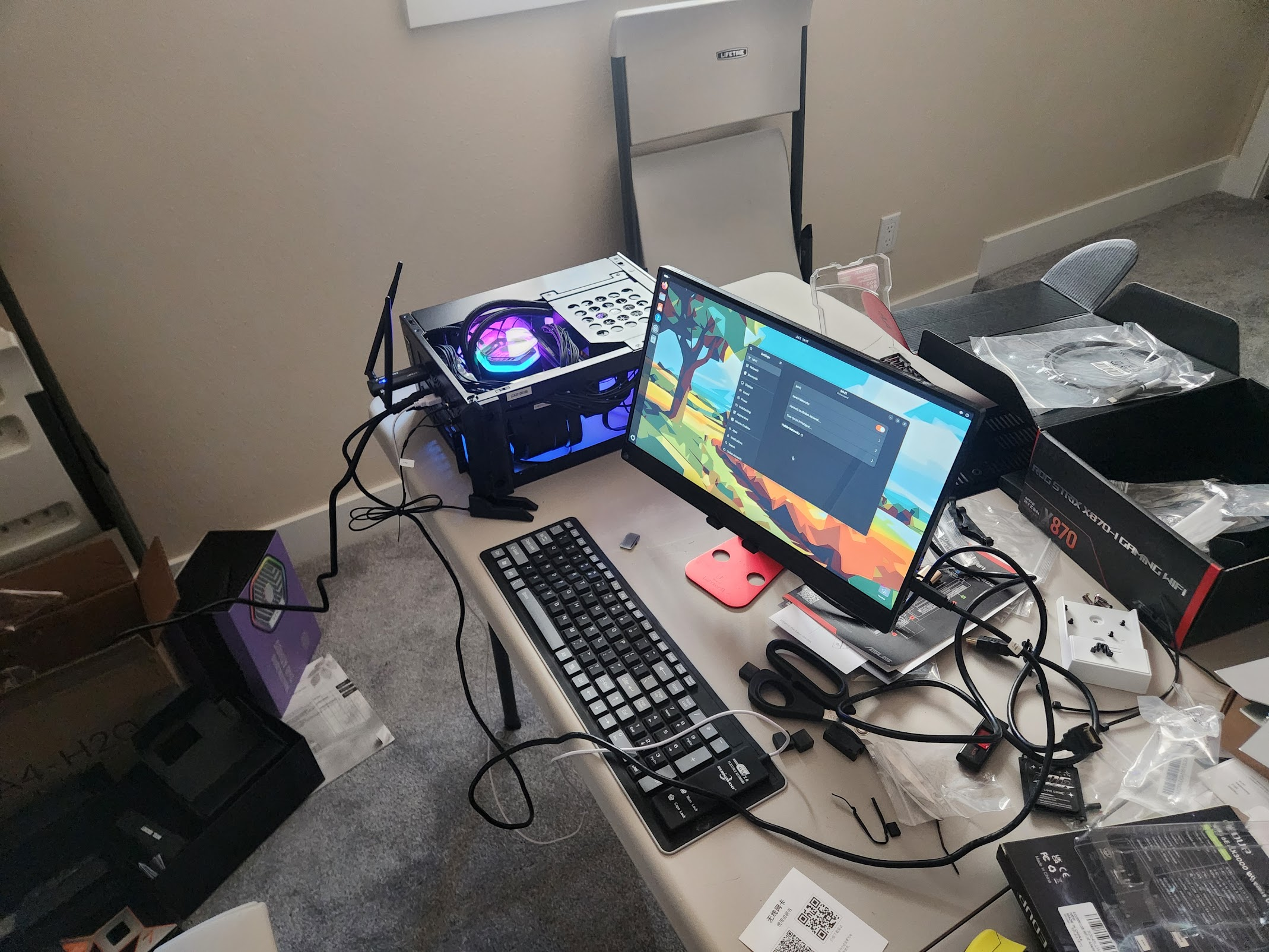
Decision: ROG Strix X870-I Gaming WIFI
For a motherboard, my main requirement was something that supported USB4: although extremely unlikely, I have multiple Thunderbolt 3/4 docks and wanted to see if eventually I could just plug it into one of those vs reroute all the cables if I ever wanted to use this directly.
That said, it’s not as simple as a USB4 port being available: with the fact that I’ll be using a dedicated GPU, I would have to get hybrid graphics (with GPU and CPU) working in Linux, then connect that. This is a different configuration than what I intend to use (with streaming via a virtualized monitor).
Ultimately I went with the ROG Strix X870-I: with 2 USB4 ports and multiple others including Wifi7, it’s the most future-proof, especially as I’ll likely be upgrading the GPU as time goes on.
CPU #
- Decision: AMD 9800X3D
The current top of the line CPU for gaming is the AMD 9800X3D. So I went with that.
GPU #
Decision: 16GB AMD 9060XT
For the GPU, I went with an AMD GPU, primarily due to the price: during 2025 I honestly wasn’t thinking too much about local AI, so did not think about the disadvantages that running on AMD would cause, performance-wise. That said with 2026 agents perhaps it’s easier to optimize.
Regardless, it was an affordable option, and cost me roughly $300 at the time. In particular, I opted for 16GB of VRAM, because the main bottleneck for this rendering can often be the need to pull the data from the host RAM into the GPU DRAM. At 1440p resolution and high/epic presets, Expedition 33 has a 10-20% higher frame rate. And I think it, to some extent, future-proofs me for other games.
RAM #
Decision: T-Create 96gb (2x48gb) DDR5-6400.
- For SFF PCs, only get low-profile RAM sticks (which will ensure room for CPU heatsinks)
For RAM, I guess the motherboard has already decided that it will be DDR5.
I looked for the largest amount of RAM I could get, which looked to be 96gb in 2025.
I chose 6400 because it was $60 (20%) cheaper than 6800, and it sounds like ultimately the RAM speed is not a huge impact on gaming performance (~1 FPS on most games).
AIO cooler #
- Decision: DeepCool LS520 SE
You have to be careful with the liquid cooling as well, there are several concerns:
- The height of the cap on the CPU (some RGB models have really large ones that protrude from the case)
- The size of the fans: the case itself can only fit smaller (120mm fans), so you have to buy an AIO cooler that fits.
The A4 H2O allows only 55mm of clearance for the pump block on top of the CPU. I found the DeepCool LS520 SE has the exact clearance I need, and 120mm fans. And the thermal paste is pre-applied!
The operating system #
For the operating system, I went with a vanilla Ubuntu installer. This was primarily because I was hoping for the stability of the LTS releases, as well as the fact that Moonlight had Debian packages for them.
However, I ran into snags with drivers: the LTS releases used an outdated Linux kernel which didn’t support my GPU, nor the Wifi 7 module my motherboard uses.
Ultimately, I upgraded to Ubuntu 25.04, then 25.10 when that became available. I also used the hardware enablement packages to support my drivers.
If I had to re-do, I might just use something like Arch Linux, where I don’t have to worry about drivers.
For a few other tricks I used, see my other blog post about streaming with moonlight.
End Result #
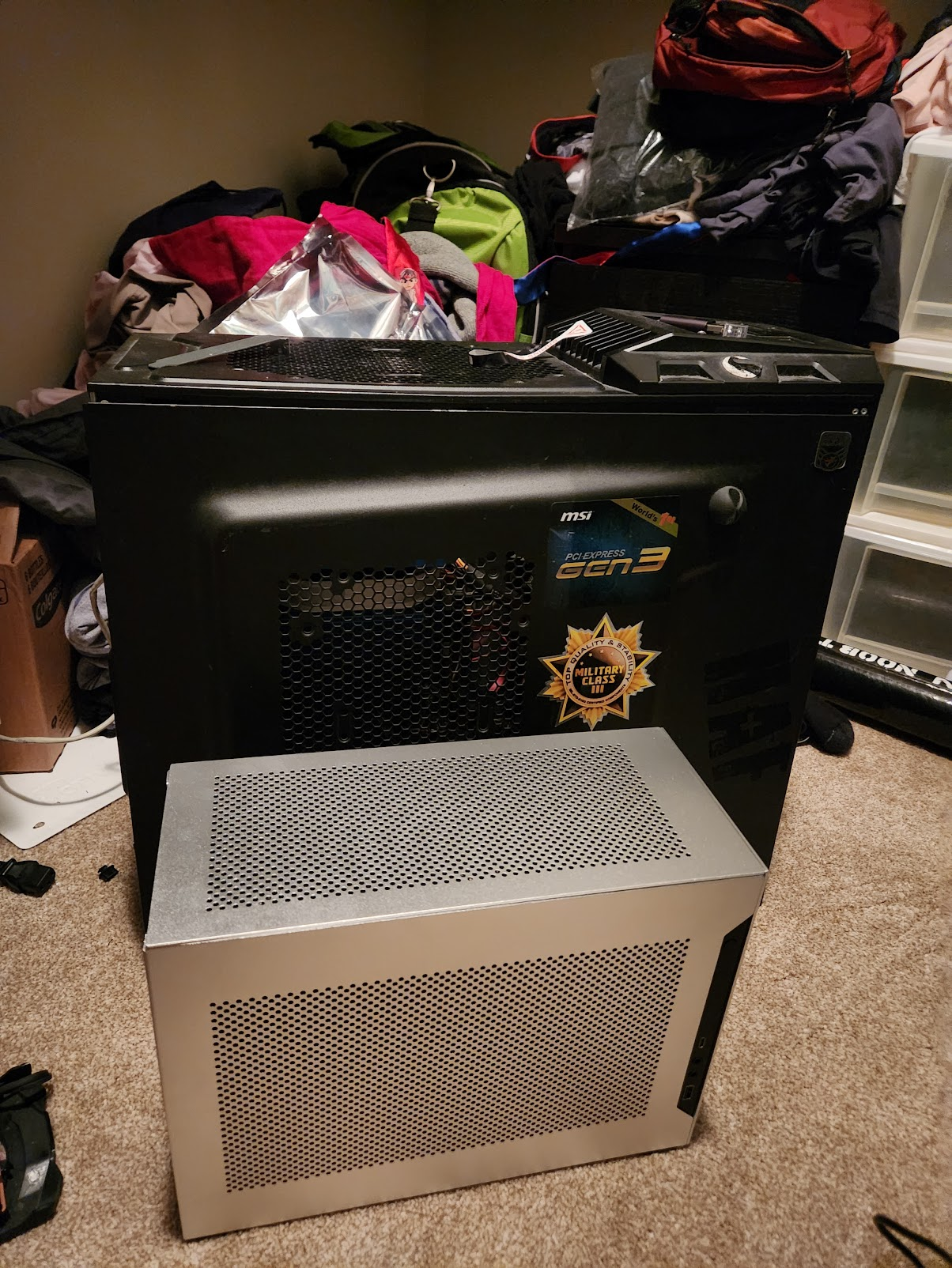
The finished product, next to my original tower! The PC sits in my closet, streaming games via Moonlight.