Review on the 2025 Framework 13
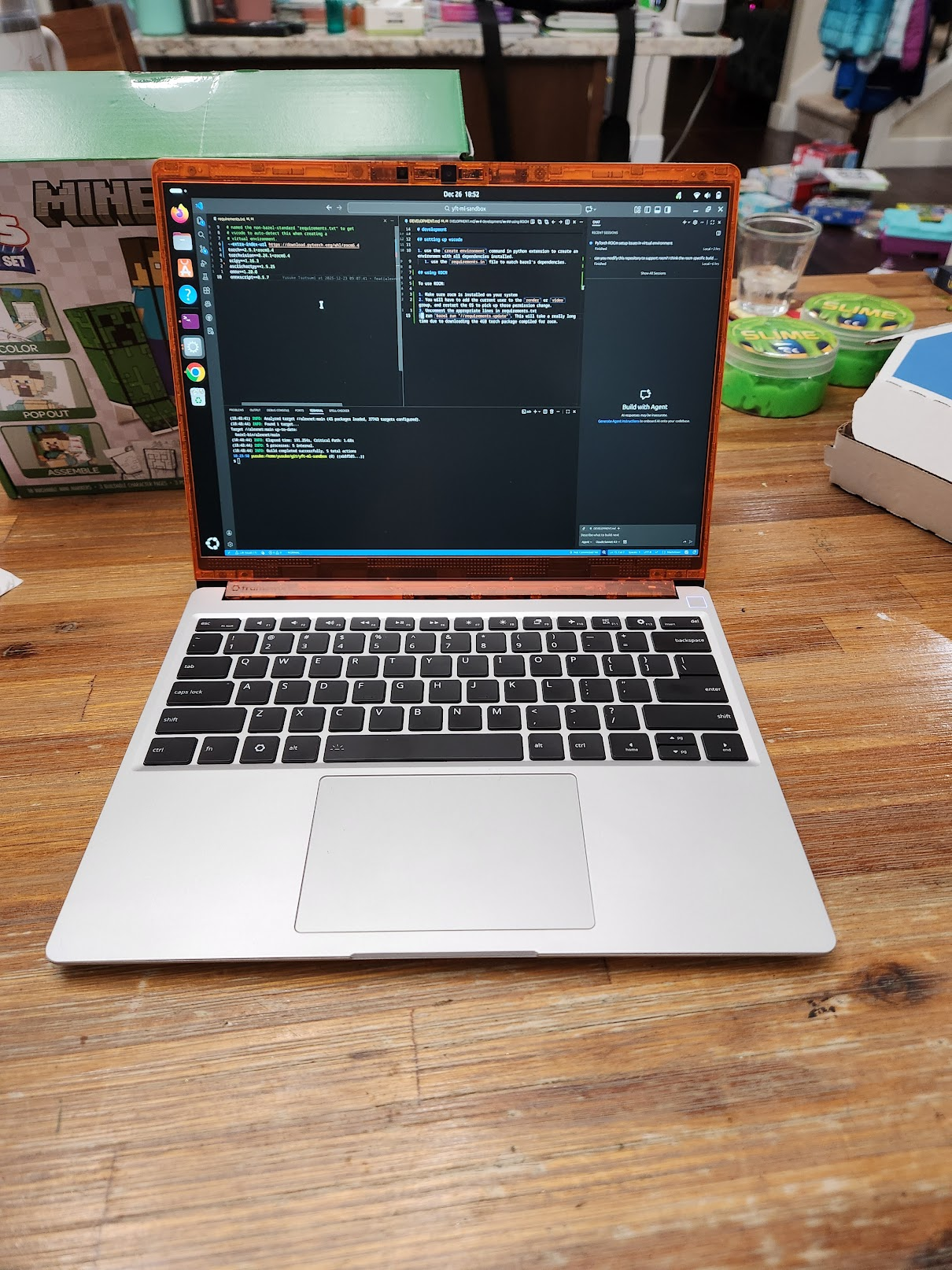
I finally got a Framework 13 laptop! This is something I’ve wanted for several years, ever since they started shipping their laptops in 2021.
A quick intro to framework #
Framework focuses on repairable, but also modular, devices. They have produced laptops in the 12,13, and 16 inch form factor, as well as a desktop. Some of the features that are specific to Framework devices include:
“swappable I/O”: effectively there are slots of USB-C ports that have a square notch in them, paired with adapters to various common ports like USB-A, DisplayPort, or HDMI. The result is the user-facing ports are effectively changeable, to some extent on the fly: it’s hard to change the port in, say, a second, but if you had 20-30 seconds I think you could change them out.
Repairable / interchangeable parts: there is a whole Framework store with replacement parts for everything from batteries to webcams to keyboards. You can change things like the bezel color around your monitor, or for the desktop they have square chicklets that you can replace with your own flair.
What motivated me #
So why the wait? Well, at the time I had a working laptop from 2018 that was working perfectly okay. It still even works okay (battery has only degraded to maybe 80% or so at most).
So in 2025, there’s a couple things that have changed for me:
- The availablility of RISC-V and ARM boards especially.
- The AI HX 370 processor, released this year.
Impressions and thoughts #
Overall, I’m very impressed and happy with my 13. I bought the “DIY” version, which require some self-installation of the RAM, hard drive, but I preferred that as it gave me time to quickly get a more visceral sense of the device.
It’s also my first laptop with the 3:2 display, which runs taller than the ratios typically seen in laptops these days. I do feel like the extra vertical real estate is noticeable, and helps a bit with coding or text-based tasks.
I’m also happy with the performance: the device feels extremely snappy with Ubuntu 25.10 and the standard Gnome display manager. Videos and tabs load quickly. Aside from games there is no percievable latency as far as processing is concerned.
Of course, my frames of reference are an M2 MacBook Pro from 2022, and an HP Spectre X360 from 2018, but compared to both of these my laptop feels much smoother.
Battery life also seems to be holding quite well - I charge pretty aggresively regardless, but even for heavy workloads like gaming with 100% GPU utilization I’m looking at 1-2 hours. If it’s more lightweight work than that I have not yet thought about battery at all, but I’ll probably do some more emperical benchmarks soon. powertop reports a draw of 7 watts or so at this time, so I’m guessing for light work I can get about 7 or 8 hours.
The build of the laptop is also very nice - The aluminum feels very similar to a Macbook, but the device feels much lighter than the M2 PRO. This feels like a “premium” laptop to me.
Availability for RISC-V and ARM boards #
The amazing thing about Framework devices are not just repairability - it’s the modularity as well.
The 13 form factor in particular has been so successful that other vendors have started producing compatible boards:
Improving support of alternative processors seems like an amazing hobby project. Especially ARM with the recent announcement of it’s integration of FEX-based emulation of X86 to play steam games on ARM devices.
The AI 9 HX 370 #
I’ve been angling for the Framework 16 in particular because of the higher TDP, ensuring that I can use the maximum potential of any hardware I have for the device. This was also to ensure I could upgrade the GPU as more resource-intensive games are released.
However, the AI HX 390 seems to have a pretty amazing iGPU, with the Radeon 890m. In my benchmarks I’m getting good enough framerates to accept it on the off change I’m gaming on the go. Note that these are using single-channel memory so the GPU can likely perform much, much better:
- 30-40 FPS with Cyberpunk 2077.
- 30 FPS with Balder’s Gate 3.
- 30 FPS with Expedition 33 (with some really low resolution settings).
Some more lightweight games like Dispatch run at 60fps, just as good as my desktop.
For AI #
I’ve recently started dabling with ML model architecture and training. My reproduction of the AlexNet paper on the Imagenette dataset trains 60 epochs in about 3-4 hours. This isn’t nearly as fast as the 30 minutes on the L4 GPUs available through Google Cloud that I normally test against, but it’s still a decent showing, especially limited at the 30w TDP.
Mistake: buying single-channel memory #
Honestly I wasn’t thinking straight on this one. I bought 1 32GB sodimm of RAM, thinking that I’ll buy a second one when the RAM prices go down (the current AI trend has caused RAM prices to more than triple). But the single sodimm really hurts any memorybound operations. In particular AI training/inference and gaming: two things I’m doing a fair bit right now. For gaming I’ve read benchmarks that dual dimms can up the framerate of some games by about 10-20%.
Even if I buy a second one, I believe I will end up with a higher amount of ram anyway (probably maxing out at 128GB if possible, past the theoretically supported 96GB for the AI 9 HX 370).
I’m considering buying a second smaller DIMM the first 16GB could be dual-channel, but then I would rely on how functional the processor is load-balancing across uneven sizes of RAM.